
Last reviewed: 6 August 2026
Quick answer: You can launch a fully‑branded referral and affiliate channel on Shopify in under 1 hour by installing ReferralCandy, choosing a reward, and switching on the post‑purchase signup popup,many brands see 20 %–30 % of new revenue from advocates within the first 90 days.
Table of Contents
- Why Use ReferralCandy for a Shopify Affiliate Program
- Prerequisites Before You Install
- Step‑by‑Step Setup in ReferralCandy
- How to Track Performance
- Optimization Best Practices
- FAQ
- Key Takeaways
1. Why Use ReferralCandy for a Shopify Affiliate Program
ReferralCandy combines referrals and affiliates in a single dashboard, saving you the cost and complexity of running two separate tools. Stand‑out features include automatic post‑checkout activation, multi‑currency cash or coupon rewards, and built‑in fraud detection.
- Faster launch: Install, configure rewards, and go live in <1 hour..
- Higher share rates: Brands adding ReferralCandy widgets and emails see share rates jump from 4 % to 12 %.
- Built for Shopify: ReferralCandy carries the “Built for Shopify” badge, ensuring compliance and blazing page‑speed performance.
2. Prerequisites Before You Install
- Know your margins so reward payouts never push you negative.
- Choose a reward type,cash, coupon, store credit, or custom perk.
- Gather brand assets: logo, primary hex colours, lifestyle shots, and a 50‑word brand blurb.
Before going through the steps, it's worth reviewing how affiliate marketing works for online brands so you know what you're building toward.
3. Step‑by‑Step Setup in ReferralCandy
Step 1: Install the App
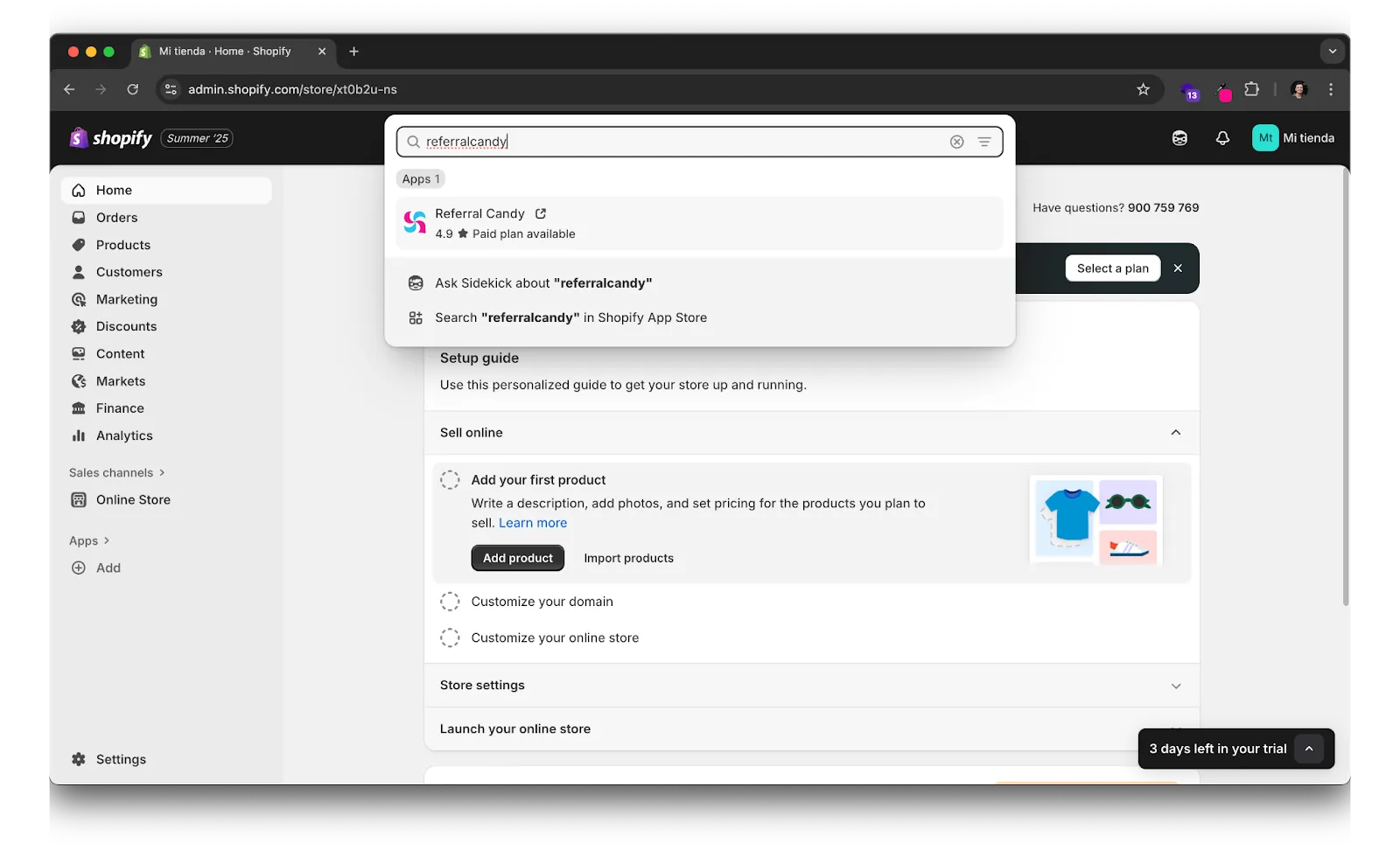
- In Shopify Admin → Apps, search “ReferralCandy” and click Add app.
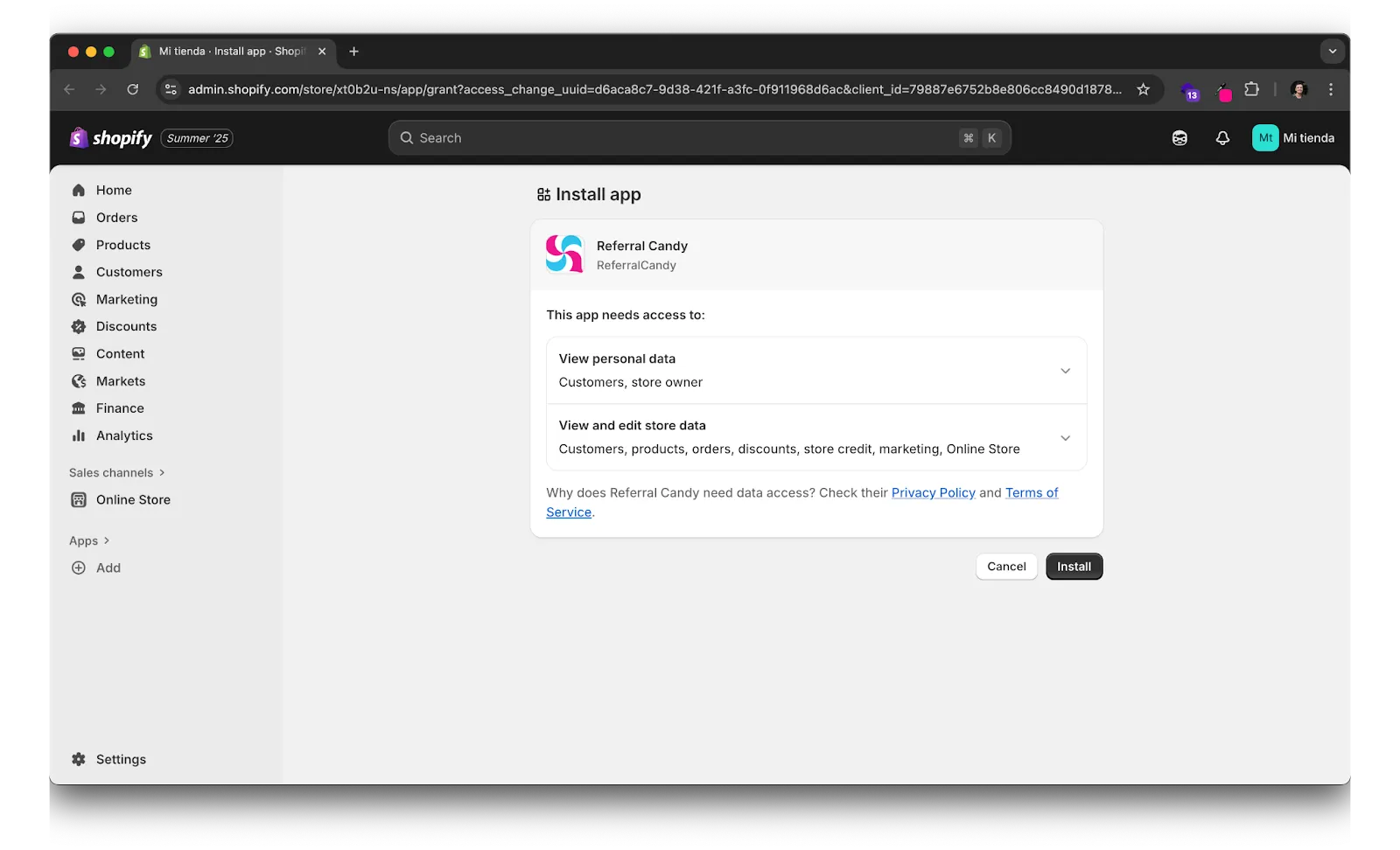
- Approve permissions; the onboarding wizard will open automatically.
Step 2: Pick Your Program Type & Reward
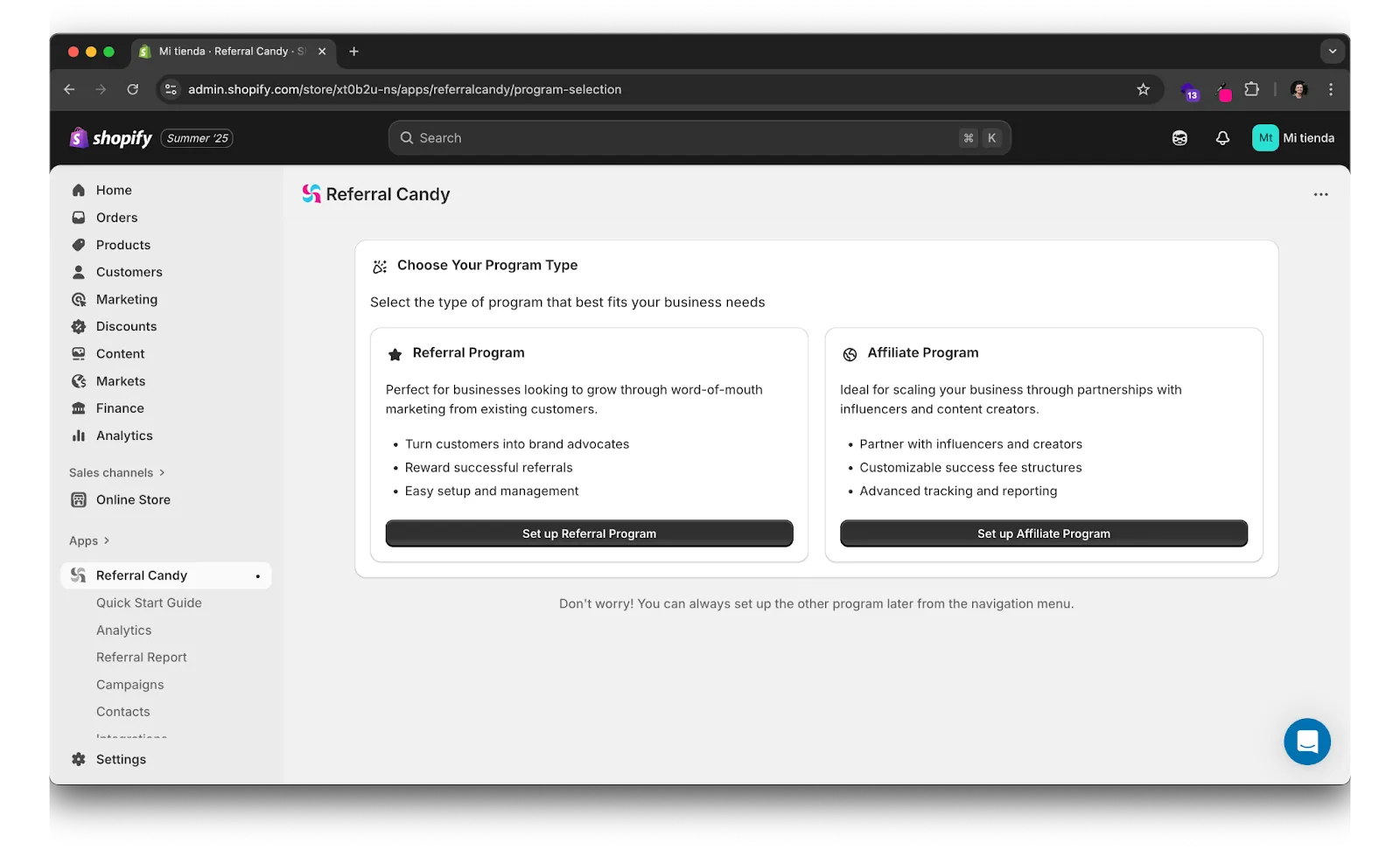
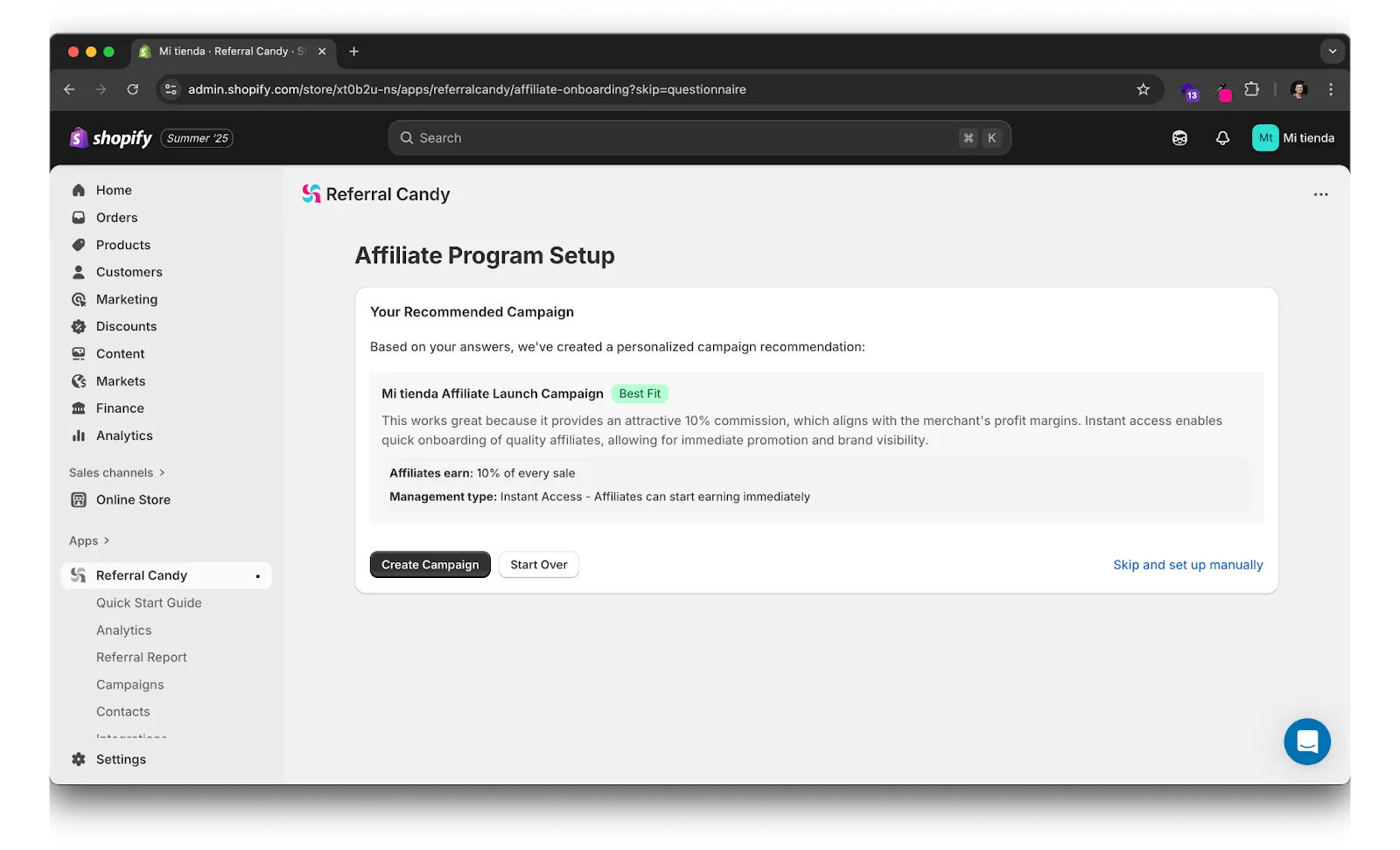
- Create a campaign and select Affiliate Program
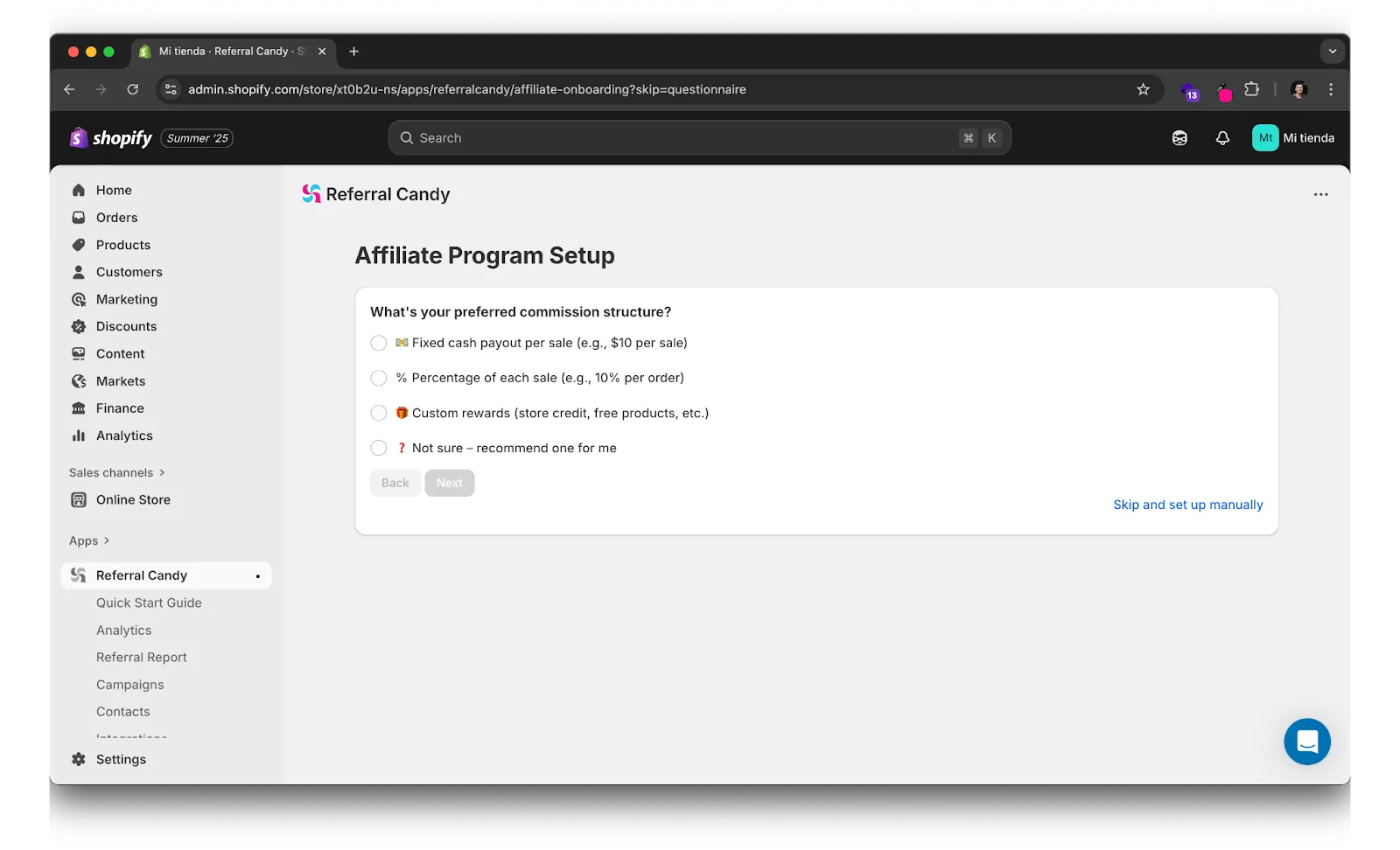
- Set your your Affiliate Program Setup or let ReferralCandy select one for you
Step 3: Brand Your Widgets
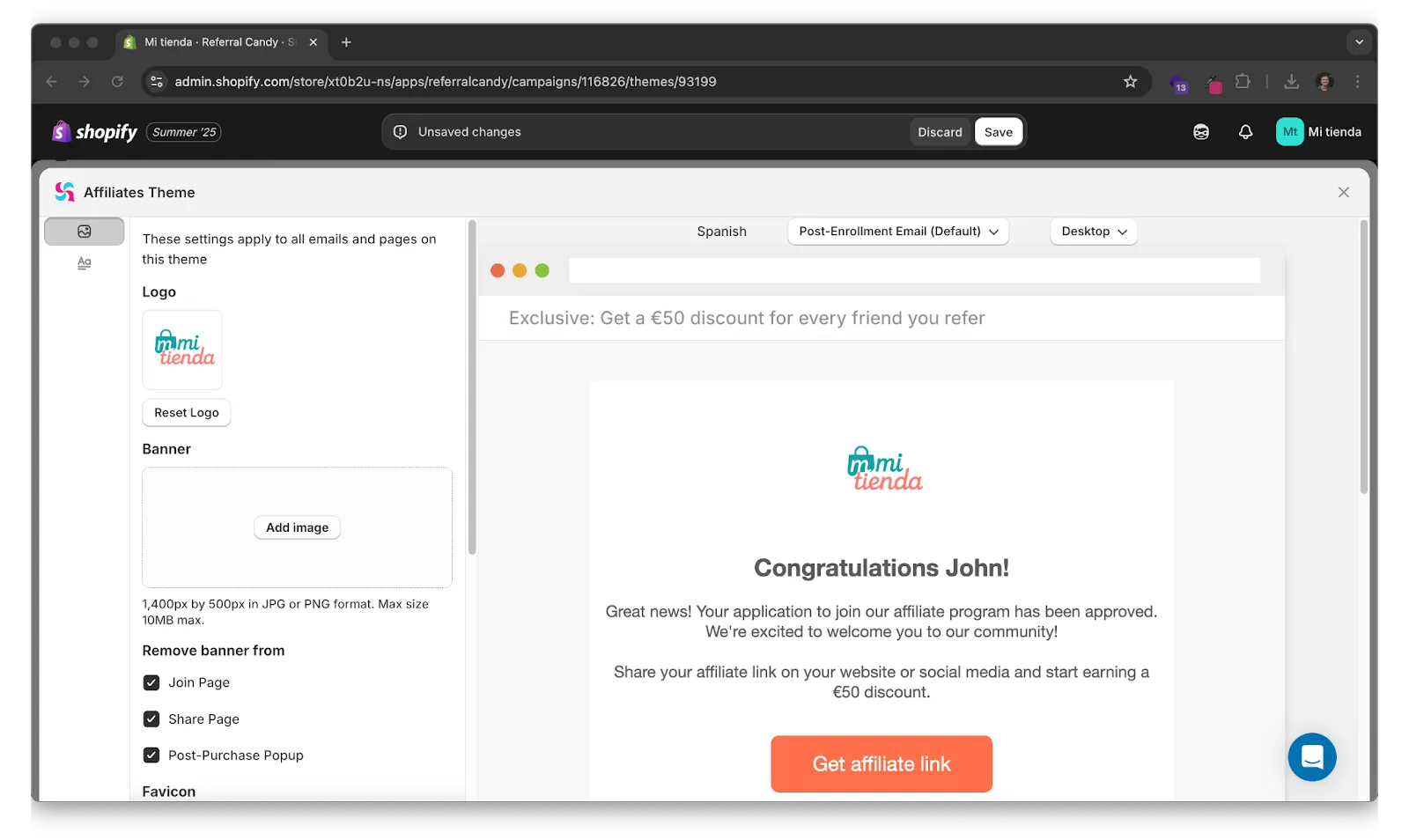
- Upload your logo and hex colours for the post‑purchase popup, share widget, and email templates.
Step 4: Enable Signup & Sharing Widgets
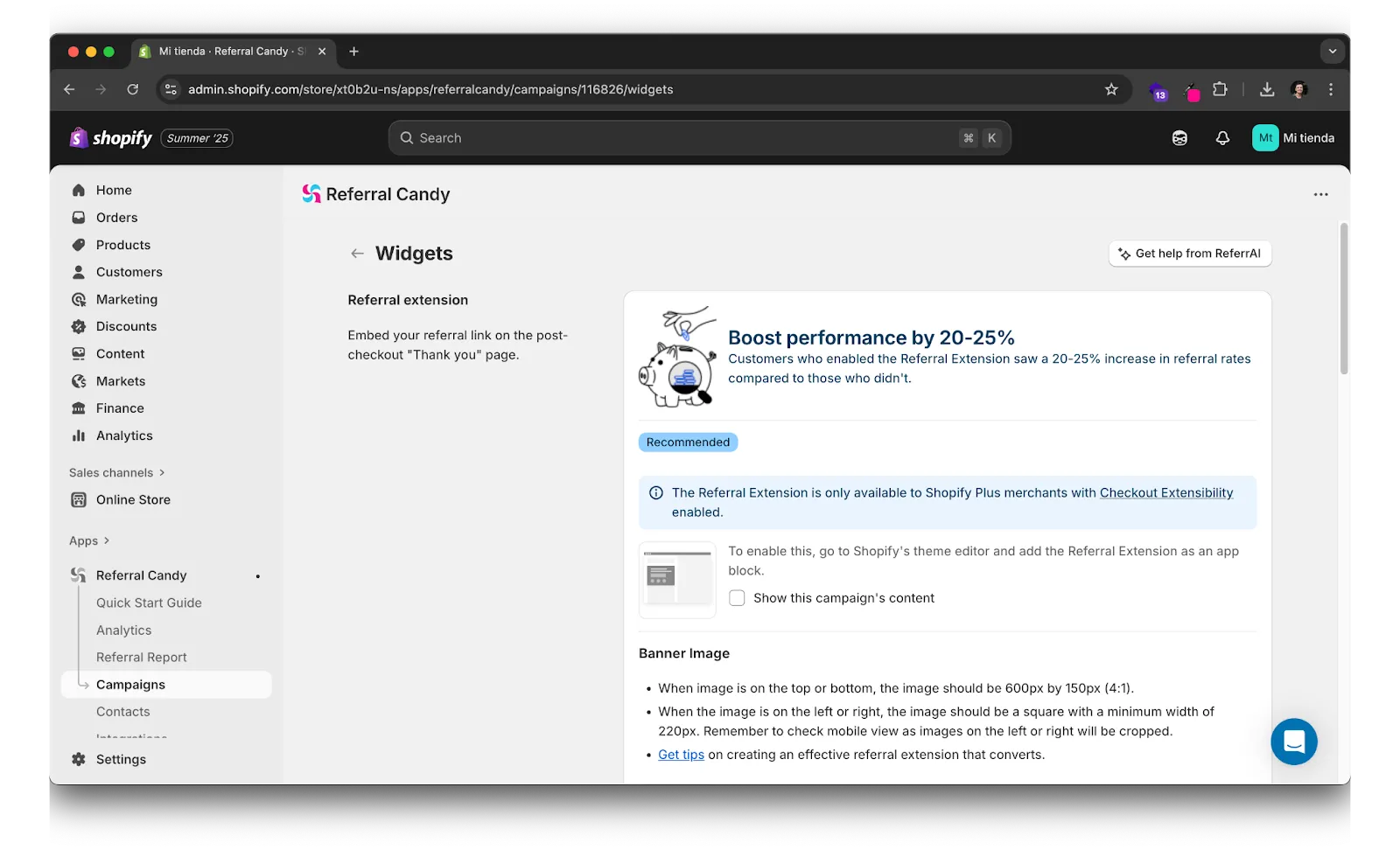
- Post‑purchase referral extension: Turns every new buyer into an advocate in one click.
- Join block / footer link: Capture visitors who land via SEO or social.
- Klaviyo integration: Auto‑send branded affiliate emails and SMS.
Step 5: Generate Links & Codes
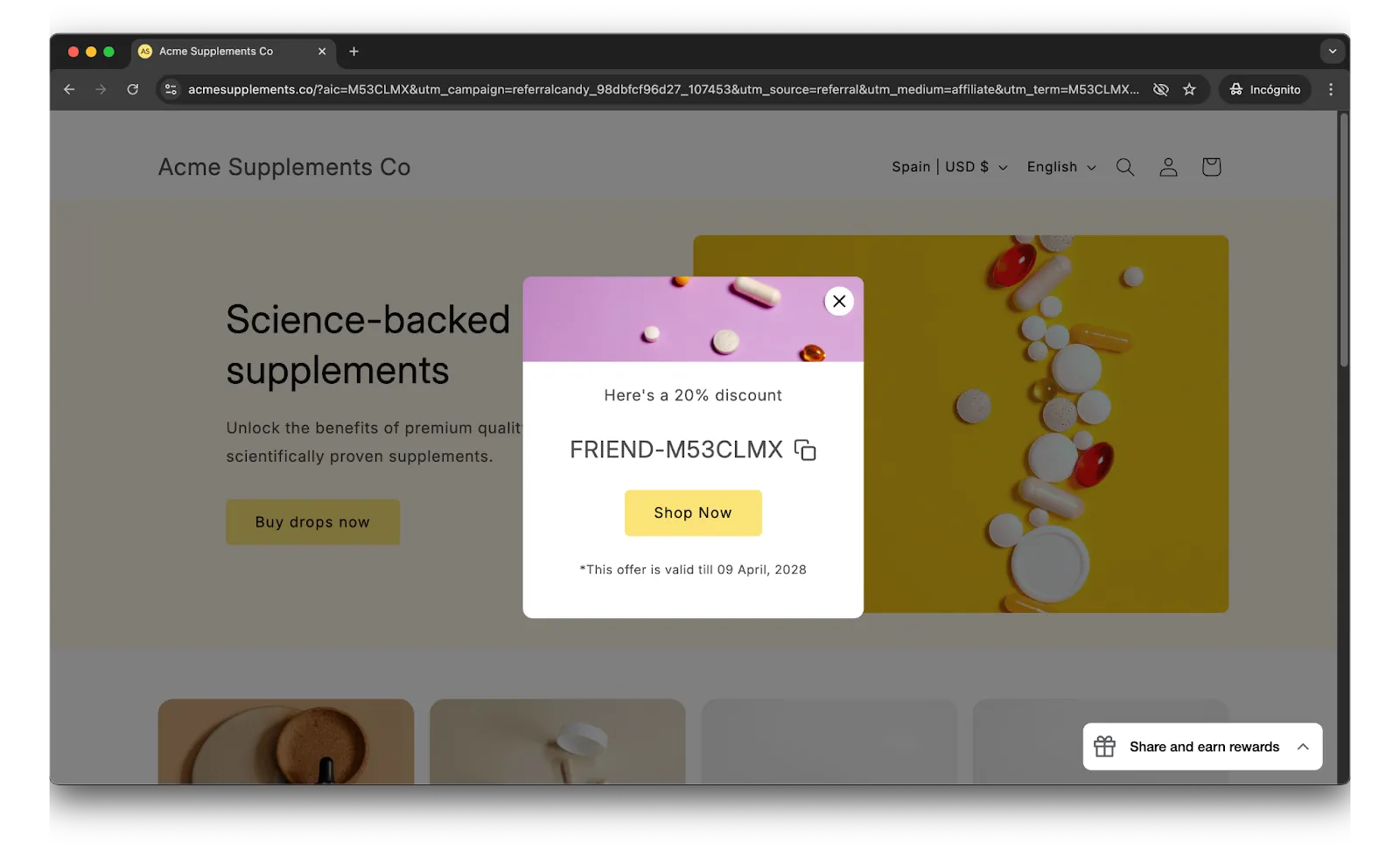
- ReferralCandy issues personal referral links with UTM parameters plus optional discount codes that auto‑apply at checkout.
Step 6: Test the Flow
- Place a $1 test order → share your link → complete a referred checkout to confirm attribution.
Step 7: Launch & Announce
- Email your customer list, post on social, and add an “Earn $10” banner to your site nav.
4. How to Track Performance
ReferralCandy’s dashboard tracks:
- Clicks, sales, and conversion rate in real time.
- Earnings‑per‑click (EPC) and average order value (AOV).
- Commission payouts (cash, coupon, or store credit) with multi‑currency support.
- Fraud alerts for leaked codes, self‑referrals, and suspicious IP patterns.
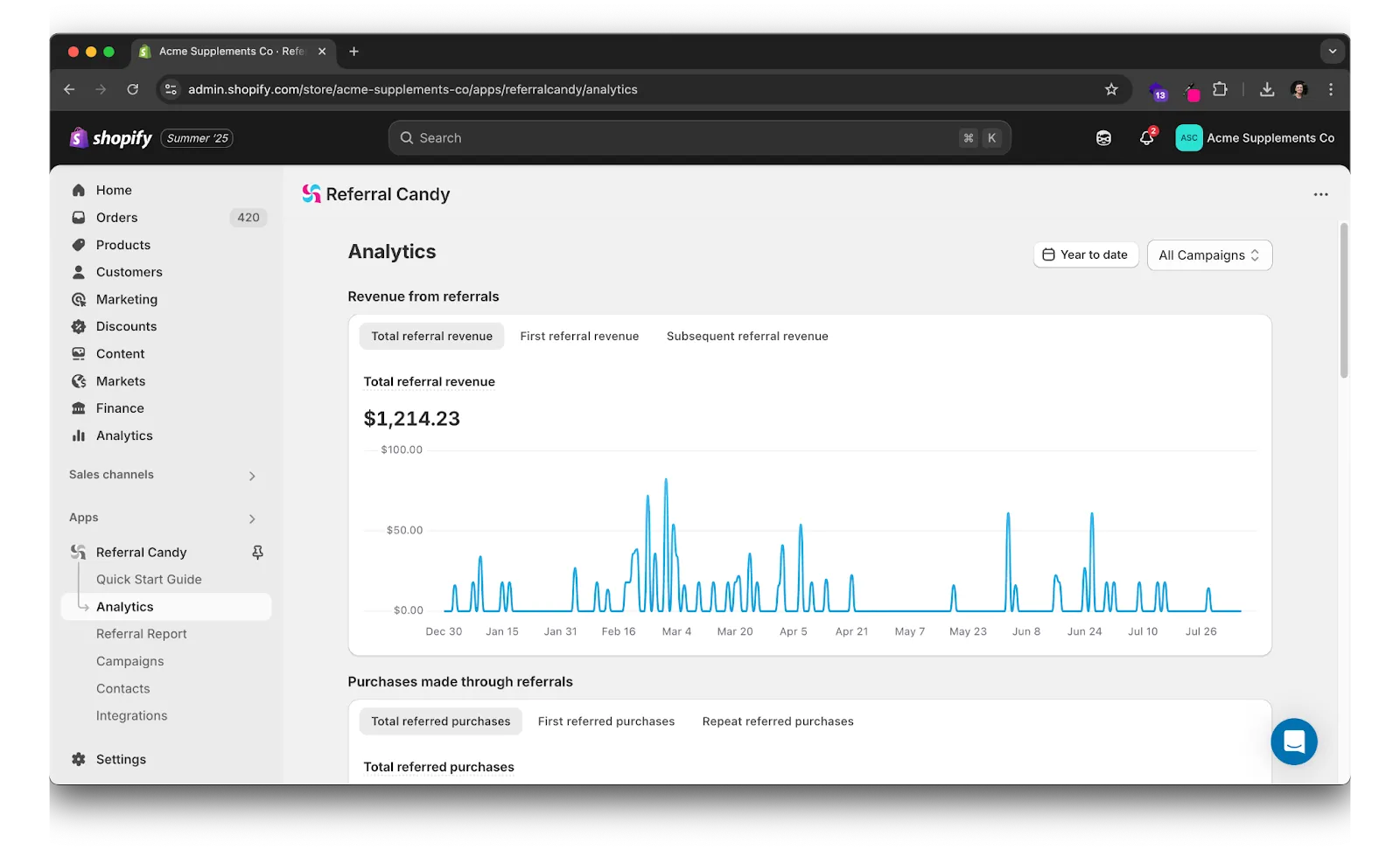
Export raw data to CSV or connect to BI tools via API for deeper cohort analysis.
5. Optimization Best Practices
- Segment advocates,creators, influencers, coupon sites,and tailor commissions.
- A/B‑test reward copy every 30 days to lift click‑through and share rates.
- Audit top links monthly to catch broken URLs or expired codes.
- Tier commissions for high‑performers to keep them motivated.
6. FAQ
Do I need Shopify Plus?
No,ReferralCandy works on all Shopify plans and is Plus‑certified.
Can I pay affiliates in store credit?
Yes. Choose cash, coupons, or store credit in the Rewards tab.
What’s a good referral conversion rate?
Content and influencer advocates average 2 %–5 %; coupon sites are 0.5 %–1.5 %.
How often should I review performance?
Weekly for scaling brands; monthly at minimum.
8. Key Takeaways
- Speed: Go live in minutes, not weeks.
- All‑in‑one: Manage referrals and affiliates from one place.
- Data‑driven growth: Built‑in analytics reveal top advocates and margin impact.
- Scalable rewards: Offer cash, coupons, or custom perks,plus multi‑currency payouts.
The final step after setup is making sure you're on the right plan — compare ReferralCandy plans and choose the right fit to unlock the features your program needs to scale.